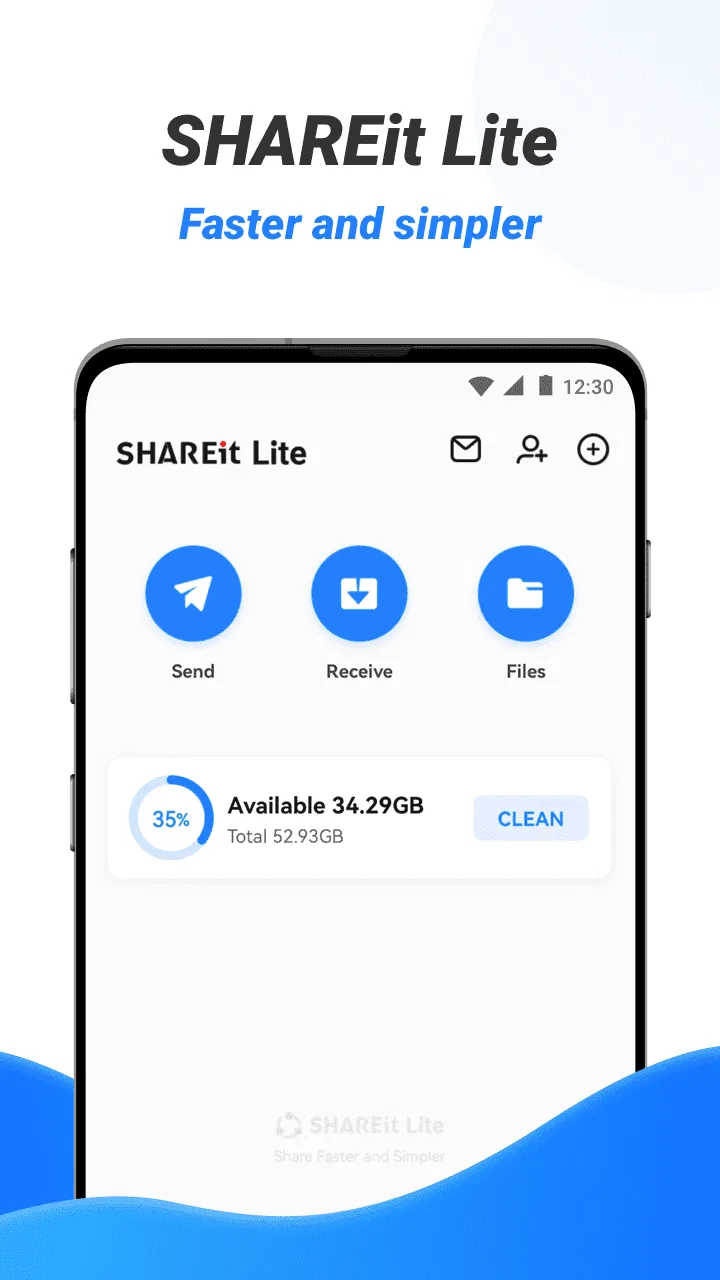
SHAREit Lite - Fast File Share
- 4.4
- Rating
- 100.00M
- Installs
- Free
- Price

 Analysis by App-foxy
When I need to move a few files between phones without relying on mobile data, SHAREit Lite is the kind of productivity app I consider first. I tested it with the mindset of an ordinary user rather than a power user: send photos, pass along a video, move a document, and see how much control the process gives me. Its main appeal is simple—direct offline sharing can be more convenient than uploading something and waiting for a cloud service to finish.
The app is free, rated for Everyone, and comes from Smart Media4U Technology Pte.Ltd. It has reached over 100 million installs and holds a 4.4 average from around 678 thousand ratings, so it is clearly familiar to a large Android audience. Those figures do not automatically make every transfer perfect, but they do tell me that this is not an obscure experiment. It is an established tool aimed at quick, everyday file movement.
What using SHAREit Lite feels like in daily life
The most useful way to understand this app is to imagine a normal situation. I take several pictures on one phone and want them on another device, perhaps after changing phones or sharing them with a family member. With a conventional messaging app, I may have to compress the images, use data, or wait for an upload. With cloud storage, both devices usually need the right account and a reliable connection. A direct transfer app removes much of that preparation.
You May Also Like

 Blood Strike: 2.5 Anniversary
Blood Strike’s Loadouts Turn Every Drop Into a Tactical Gamble
A close look at Blood Strike’s custom loadouts: how fast access to signature weapons reshapes its battle royale rhythm, rewards preparation, and narrows the gap between fights.

 Pandora - Music & Podcasts
Pandora’s Music Is Easy to Start, but Harder to Recover
Pandora’s strength is its low-effort path from a seed to a station. Its weak spot is how much confidence it asks you to place in connection, setup, and quiet recovery.

 8 Ball Pool
 Is Built on Rivalries, Rematches, and Routine
A close look at the rivalries, rematches, shared routines, and unanswered safety questions that turn a quick pool match into a persistent mobile community.

 Samsung Music
’s Quiet Strength Is Playing What You Already Own
Its reach comes less from spectacle than from dependable access to a personal library. That simplicity is both the app’s strongest retention engine and its ceiling.

 AccuWeather: Weather Radar
AccuWeather Review: A Quick, Clear Forecast for Everyday Decisions
For everyday plans, the best forecast is the one you can understand quickly. AccuWeather makes rain timing, radar, and local conditions easy to act on, with a few trade-offs.

 Hill Climb Racing
Why Hill Climb Racing Still Turns Crashes Into One More Run
A tiny car, a bumpy hill and one more upgrade: Hill Climb Racing keeps resurfacing because its simple chaos makes every near-miss feel personal.
More From Our News Desk
View All News


That convenience is especially valuable when the internet is slow, unavailable, or expensive. A student can move class documents from one handset to another before leaving campus. A traveler can pass photos to a companion without searching for a public connection. Someone setting up a replacement phone can use it as a practical bridge for selected files instead of uploading everything first.
I would not describe it as a complete replacement for backup software. Its strength is immediate device-to-device sharing, not long-term organization. If I want a dependable copy of important documents stored away from both phones, I prefer a cloud backup or a computer. If I only need to get a folder or a group of photos from one nearby device to another, this app makes more sense.
Why the Lite approach matters
The Lite label suggests a more focused experience than a large all-purpose media platform, and that focus is important to me. A file-transfer tool should not make me learn a complicated workflow before I can send one document. The useful test is whether I can identify the files, connect the devices, approve the exchange, and find the result afterward without unnecessary confusion.
In practice, I recommend starting with a small batch. Sending a few files first confirms that both devices are visible to each other and helps reveal where received items are placed. Once that works, I would move to a larger selection. This is a better habit than immediately selecting an entire photo library, because a failed large transfer is harder to diagnose and may leave me unsure which items arrived.
There is also a practical distinction between sharing and moving. I treat the original files as untouched unless I have personally checked the destination and decided to remove anything. That mindset prevents a common mistake: assuming a transfer is the same as a backup or that the source copy has somehow been managed for me.
Compatibility and the devices I would choose
The stated minimum operating system is Android 4.2, which gives the app a broad technical reach. That is useful for households with an older spare phone, a budget handset, or a device that is no longer running a recent Android release. The current version is 3.8.88_ww, so I would still keep both devices updated where possible and make sure the app is available on each one before starting a transfer.
Although the app is a natural fit for Android-to-Android sharing, I would check the exact device combination before planning a large migration. Different operating systems and manufacturer settings can affect how nearby connections, storage access, and received files behave. I would not assume that every phone will present the same screens or save files in the same place.
For a small exchange, this is not a serious obstacle. For a full phone replacement, it changes my recommendation. I would use the app for selected photos, videos, documents, or other files that I can verify manually. I would use the phone maker’s migration tool or a structured backup method for contacts, settings, messages, and app data, because those items often need more than a simple file transfer.
Trust, controls, and the moments that deserve attention
I use the moments before a transfer to check that the right person and the right files are involved, rather than treating a nearby connection as automatically safe. In this section, I’d also consider how much control a sharing routine should give me, especially when a phone is used by more than one person. That leads naturally to the next question: how the app fits into a user’s broader habits and expectations.
What I look for before allowing a transfer
My trust in a sharing app comes less from its popularity than from the choices it presents at the moment of use. Before I approve anything, I want to know which device I am connecting to, what files I selected, and whether the receiving phone is the one I intended. I also prefer to make the connection only when both devices are physically nearby and the other person is ready.
That routine sounds obvious, but it is one of the most important safeguards. Offline does not mean automatically private. A nearby transfer still deserves the same care as handing someone a storage card. I avoid sending sensitive documents in a crowded place unless I can clearly identify the recipient and confirm the result.
I also check the destination after a transfer rather than relying only on a completion message. For photos, I look in the gallery or file manager. For documents, I open one or two files. This catches practical problems such as an unexpected folder, an incomplete batch, or a file that transferred but is not immediately visible in the app I normally use.
Permissions and data-sensitive moments
File sharing naturally requires access to the content I choose to send, and the permission prompts are a moment where I slow down. I read what Android asks me to allow instead of tapping through automatically. If a permission seems broader than the task I am performing, I pause and reconsider whether I need it at that moment.
I am particularly careful when selecting personal photos, identity documents, work files, or videos containing other people. The app may be convenient, but convenience should not decide the audience. I select individual items when possible rather than giving away an entire category simply because it is faster.
Another useful habit is separating transfer sessions. I would not combine private work documents with casual pictures in one large batch. Keeping them separate makes the recipient and the purpose clearer, reduces the chance of an accidental extra file, and makes it easier to verify what was sent. This is a small workflow change, but it gives me noticeably more control.
When a file is especially sensitive, I prefer an alternative that provides a clearer audit trail or stronger access management. A direct sharing tool is excellent for speed, but it is not automatically the best choice for confidential business material, regulated records, or anything that must be tracked carefully from sender to recipient.
User agency is more important than raw speed
The app’s appeal is that it can make a local transfer feel quick and straightforward, but I judge it by how well it lets me remain in charge. I want to choose the files manually, stop if the wrong device appears, and confirm the result before deleting the originals. Those steps are more valuable than chasing the fastest possible transfer.
I also recommend clearing up the receiving phone before a large exchange. If storage is nearly full, the transfer may become confusing even when the connection itself is fine. Removing duplicate videos or moving old files elsewhere first gives the incoming batch a clear destination and makes it easier to spot what has changed.
For repeated sharing with the same person, I would establish a simple confirmation phrase or visual check before accepting a connection. That is not a special feature of the app; it is a user habit that reduces mistakes when several nearby devices are present. The safest workflow is one where the sender and receiver both know exactly which exchange is about to happen.
How it compares with ordinary alternatives
Compared with messaging apps, this tool is better suited to original files and larger batches when both devices are close. Messaging is often more convenient for sending one image to someone who is already in a conversation, but it may involve compression, account requirements, or an internet connection. I choose messaging when the recipient is far away and the file size is modest.
Compared with cloud storage, direct sharing is more immediate for a one-time handoff. Cloud services win when I need access from several devices, want a persistent backup, or need to share a link later. They also fit better when the recipient is not nearby. I would not use a local transfer app as my only copy of irreplaceable files.
Compared with a cable or computer, the app can be more comfortable for casual exchanges because I do not need to find the right cable or sit at a desk. A cable remains my preference for a large, carefully managed migration. It is easier to organize a substantial archive on a computer, confirm folder structure, and keep a separate copy.
Compared with manufacturer migration tools, SHAREit Lite is more focused on selected files. A phone maker’s utility is usually the better starting point when I want settings, contacts, messages, and application information to follow me to a new handset. I see this app as a flexible side tool rather than the single answer to every kind of transfer.
Where the experience can become frustrating
The biggest weakness of this type of app is that a successful connection depends on two devices cooperating at the same time. Both phones need to be ready, the correct recipient must be selected, and the user must understand where the received items go. That is still simpler than some alternatives, but it is not as effortless as sending a small attachment through a familiar chat.
Large batches can also create uncertainty. A long list of photos or videos is harder to review before sending, and a user may not notice an unwanted item until it is already on the other phone. I avoid selecting everything by habit. I divide transfers by purpose—photos, documents, or videos—and verify each group separately.
Storage and file organization are another source of friction. A transfer can be technically complete while the files remain buried in a folder I do not normally browse. After receiving anything important, I rename or organize it promptly. That turns a temporary handoff into something useful instead of creating another pile of unidentified files.
Finally, I would not choose this app simply because it is free. The price removes a barrier, but it does not remove the need to review permissions, select recipients carefully, or maintain backups. Free is helpful for occasional sharing; it is not a substitute for a privacy decision.
Who should use it, and who should skip it
I think it is a good match for Android users who frequently exchange photos, videos, or documents with people nearby. It is particularly practical for households with multiple phones, students sharing files in person, and anyone who wants to avoid using mobile data for a local handoff. The Everyone content rating also makes it approachable for a broad audience, although younger users still benefit from guidance when sharing personal material.
I would recommend it less strongly to someone who mainly needs automatic backup, cross-device synchronization, or remote collaboration. A cloud service is more suitable when the same files must remain available across locations. I would also steer a user toward a computer or manufacturer migration utility for a complete phone replacement, especially when contacts, messages, and settings matter as much as photos.
People who are uncomfortable checking permissions or manually confirming recipients may prefer a more familiar built-in sharing method. The app rewards a little attention. If the only goal is to send one small file to a known contact, the usual messaging or operating-system sharing option may involve fewer decisions.
My cautious verdict
After using it as a practical file handoff tool, I see SHAREit Lite as a useful addition to an Android phone rather than a universal storage solution. Its strongest case is clear: two nearby devices, a defined group of files, and no desire to depend on an internet upload. In that situation, it can save time and avoid the compression or account steps that come with common alternatives.
My recommendation comes with a simple rule: use the convenience, but keep control of the selection, recipient, permissions, and final check. Start with a small test batch, separate sensitive files from ordinary ones, confirm where the received content landed, and keep the originals until everything is verified.
Smart Media4U Technology Pte.Ltd. has built an app with a clear everyday purpose, and its large install base shows that this purpose resonates. Still, the right choice depends on the job. For quick local sharing, I would gladly keep it available. For backup, confidential records, or a complete device migration, I would choose a tool designed specifically for that responsibility.
At no cost and with support reaching back to Android 4.2, it is easy to try for occasional transfers. I would simply approach it as a focused productivity utility: useful when I decide exactly what should move, where it should go, and why.
FAQs for SHAREit Lite - Fast File Share
01What is SHAREit Lite and how does it differ from the regular SHAREit app?
SHAREit Lite is a streamlined version of the original SHAREit app, designed to offer fast and efficient file sharing with reduced app size and lower data consumption. Unlike the regular version, SHAREit Lite focuses on core functionalities, making it ideal for users with limited storage or slower internet connections.
02Is SHAREit Lite safe to use for transferring files?
Yes, SHAREit Lite is designed with user safety in mind. It uses secure protocols to ensure your data is protected during transfer. However, it’s always a good practice to download the app from official stores and keep it updated to benefit from the latest security enhancements.
03Can I transfer files between different operating systems using SHAREit Lite?
Absolutely, SHAREit Lite supports cross-platform file transfers, allowing you to share files between Android, iOS, and other devices seamlessly. This makes it a versatile tool for users who operate multiple devices across different platforms.
04Are there any limitations on the file size or types I can share using SHAREit Lite?
SHAREit Lite allows you to transfer a wide range of file types, including photos, videos, music, apps, and documents, without significant restrictions on file size. However, extremely large files may take longer to transfer depending on your device's capabilities and network conditions.
05Does SHAREit Lite require an internet connection to transfer files?
No, SHAREit Lite does not require an internet connection for transferring files. It uses direct Wi-Fi connections to facilitate file sharing, making it an excellent option for users without access to mobile data or Wi-Fi networks. This feature also helps in saving data costs.
Pros
- Fast file transfer speeds.
- Easy-to-use interface.
- No internet required for sharing.
- Supports multiple file formats.
- Low storage space usage.
Cons
- Contains ads during use.
- Occasional connection drops.
- Lacks encryption for files.
- No cloud backup feature.
- Limited customer support.

SHAREit Lite - Fast File Share
Gallery